
Replayr · by ahedr
Film every attempt. Watch it back, hands free.
Replayr is a video replay app for iPhone and iPad. Show a hand gesture, make your move, and the clip plays back on its own, ready to slow down and step through frame by frame.
Get early access See how it works
In development for iPhone and iPad. Not on the App Store yet.
- iPhone and iPad
- Video stays on your device
- No tapping between reps
Features
Built for the moment right after the rep.
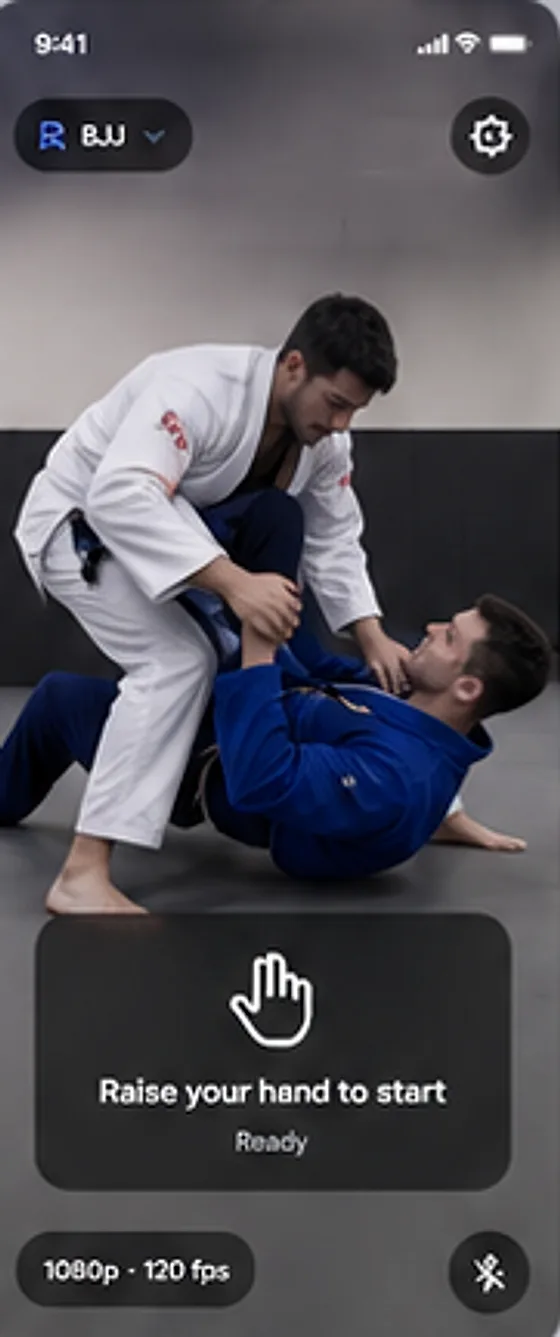
Start recording with a hand gesture
Prop the phone up, step back, and show a victory sign. Replayr starts the countdown for you. An open palm cancels the countdown or stops the clip. Every gesture has to be held for a moment, so a stray wave does not trigger anything, and the touch controls are always there as a backup.
- Victory sign to start, open palm to cancel or stop
- Designed to work from about 1 metre away
- Each gesture can be turned off
Time it to your routine
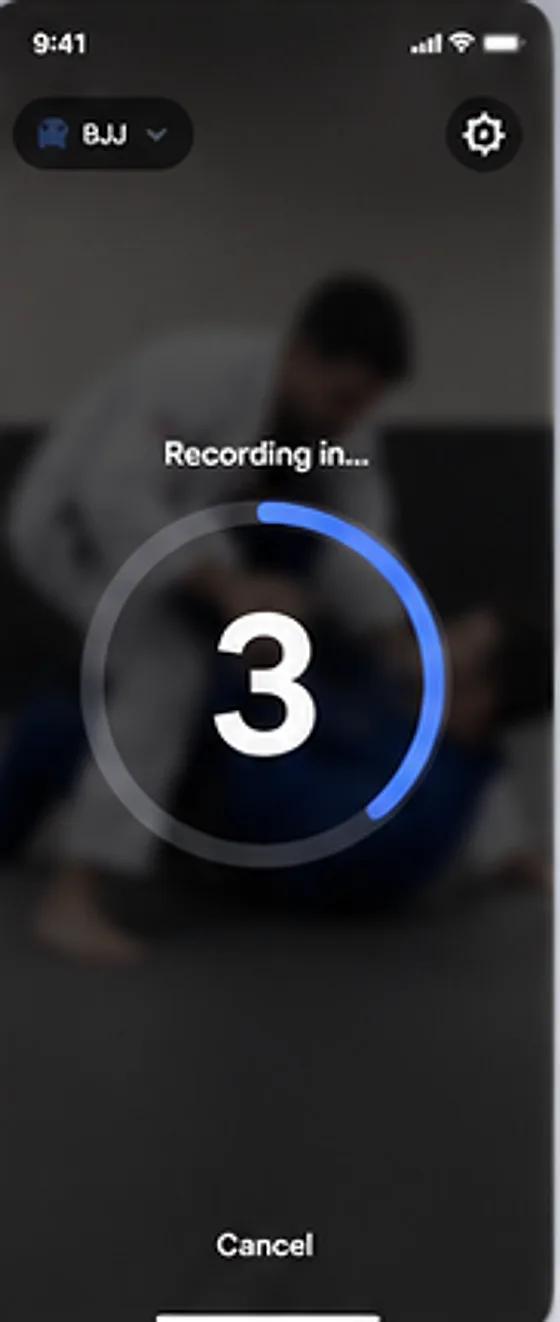
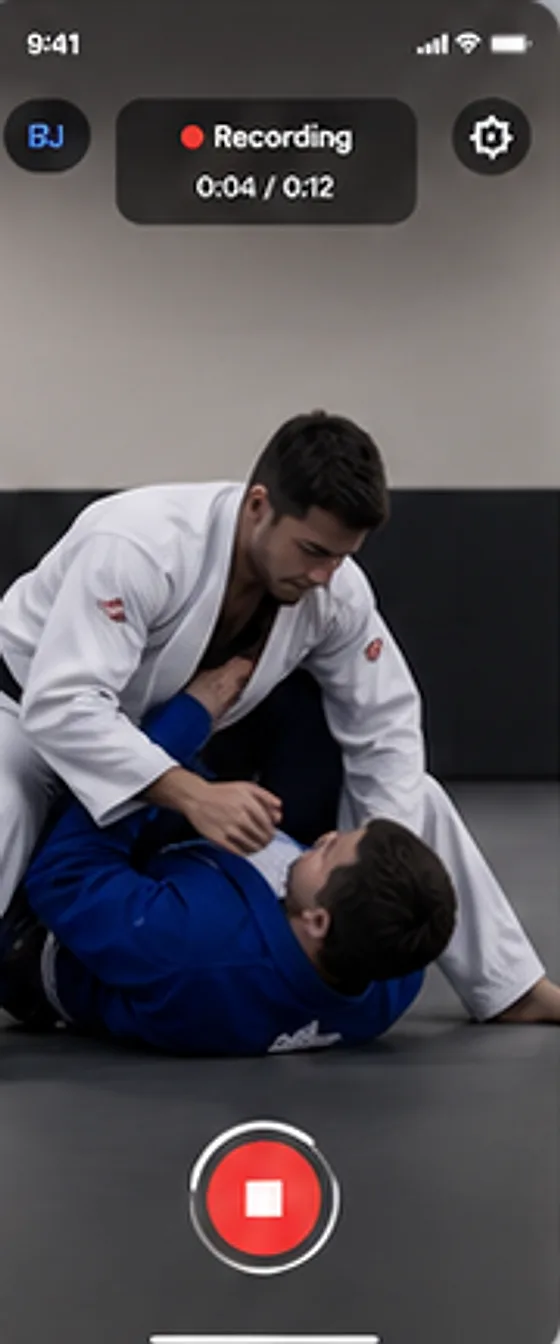
Choose how long Replayr waits before it records and how long a clip runs. A big countdown gives you time to get into position, and the red stop control stays easy to find while you move.
- Start delay, clip length and replay delay are all adjustable
- Clear Ready, Countdown and Recording states
- Cancel at any point during the countdown
See the replay straight away
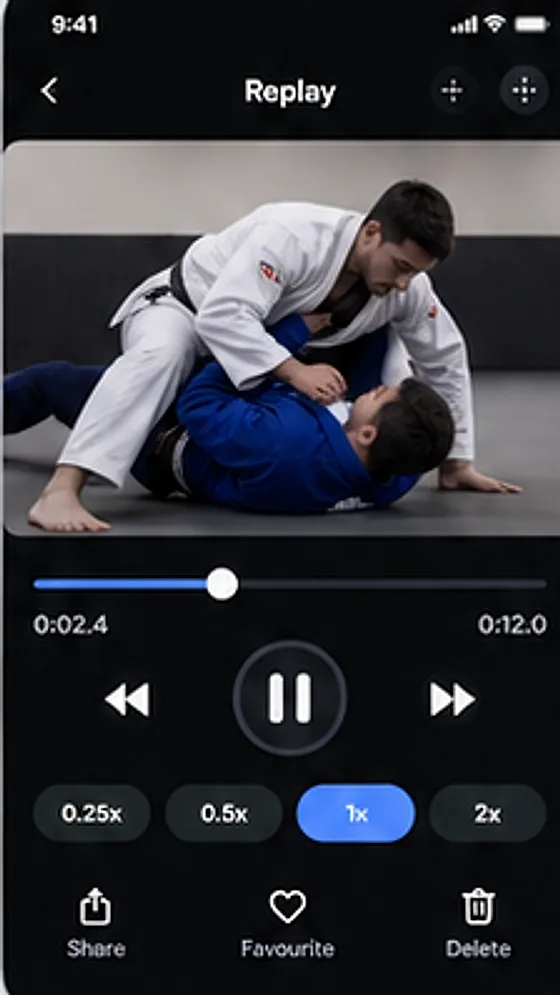
When the clip ends, Replayr opens it for you. Slow it to one eighth speed, scrub the timeline, or pause and step one frame at a time to check a position. When you are done, it can drop back to Ready for the next attempt.
- Speeds from 1x down to 0.125x
- Frame stepping while paused
- Share, favourite or delete each clip
Every session, kept in order
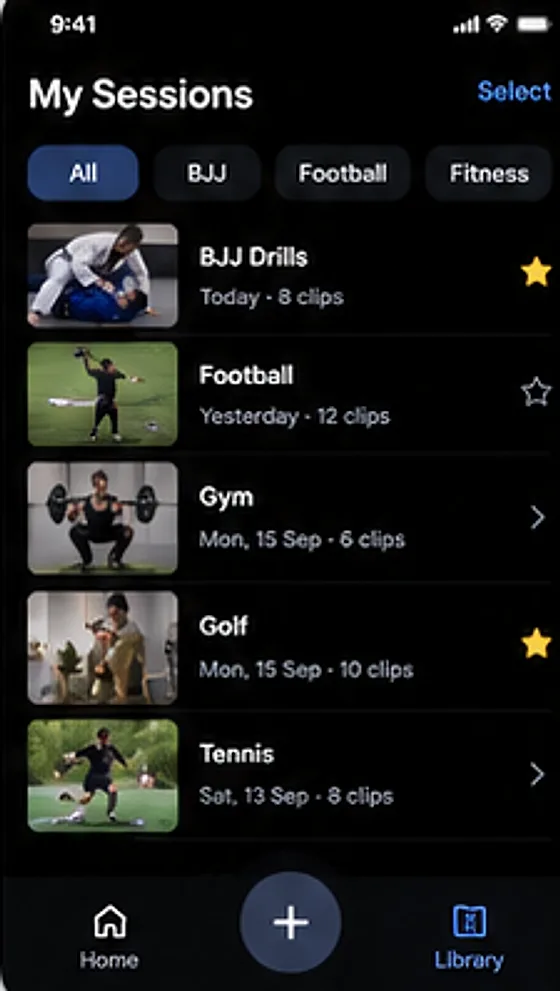
Pick an activity profile, such as golf, strength training, martial arts, running, football or tennis, or make your own. Replayr groups your clips into sessions so you can find last week’s attempts and compare how things felt.
- Sessions grouped by activity and date
- Recorded and stored on your device by default
- Export any clip with the share sheet
How it works
Four steps, no touching the screen.
Set it down
Prop your iPhone or iPad where it can see you and your movement. Pick an activity.
Show a victory sign
Hold it briefly. Replayr confirms it and starts the countdown.
Do your rep
Replayr records for the length you chose, or until you show an open palm.
Watch and adjust
The replay opens by itself. Slow it down, step through it, then go again.
Who it is for
Athletes who train alone, coaches who want to show a clip right after the attempt, and anyone doing technique or rehab work who is tired of walking back to the phone between reps.
FAQ
Questions
Do I have to touch my phone during a session?
No. Starting, stopping and replaying can all be hands free. Touch controls remain on screen as a fallback, and you can turn individual gestures off.
Which gestures does Replayr use?
A victory sign starts recording. An open palm cancels the countdown or stops the recording. Each gesture must be held briefly before it counts, which helps avoid accidental triggers.
How far away can I be?
Gesture detection is designed to work from about 1 metre. Further away it can still work, depending on light and your setup, but it is not guaranteed.
Where are my videos stored?
Replayr is local-first: clips are recorded and stored on your device by default. You choose when to share one.
Which devices does it run on?
iPhone and iPad. The app targets iOS 17 and later.
When can I get it, and what will it cost?
Replayr is still in development and is not on the App Store yet. There is no price to announce. Join early access and we will send one email when it is ready.
Early access
Be first to try Replayr.
Leave your email and we will let you know when it is ready. No spam, just one message at launch.
In development for iPhone and iPad. Not on the App Store yet.